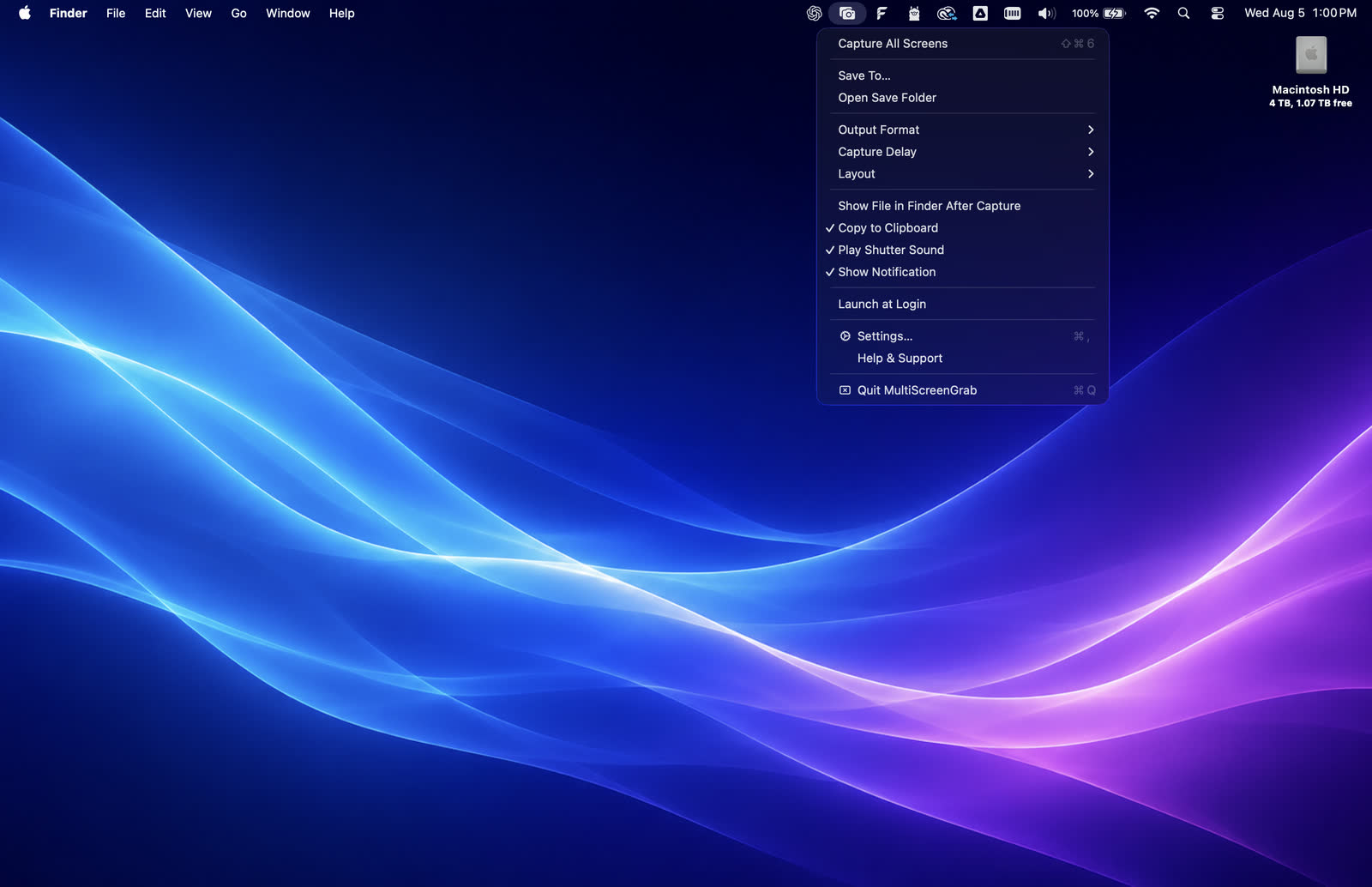
01 · Capture
Capture all displays instantly.
Access settings and capture controls from the top menu.
 MultiScreenGrab
Coming soon
MultiScreenGrab
Coming soon
Built for multi-display Mac setups
Capture every connected display in one clear,
configurable image.
Native macOS app · Private by design · No account required
One capture. Every display arranged and named your way.
Access settings and capture controls from the top menu.
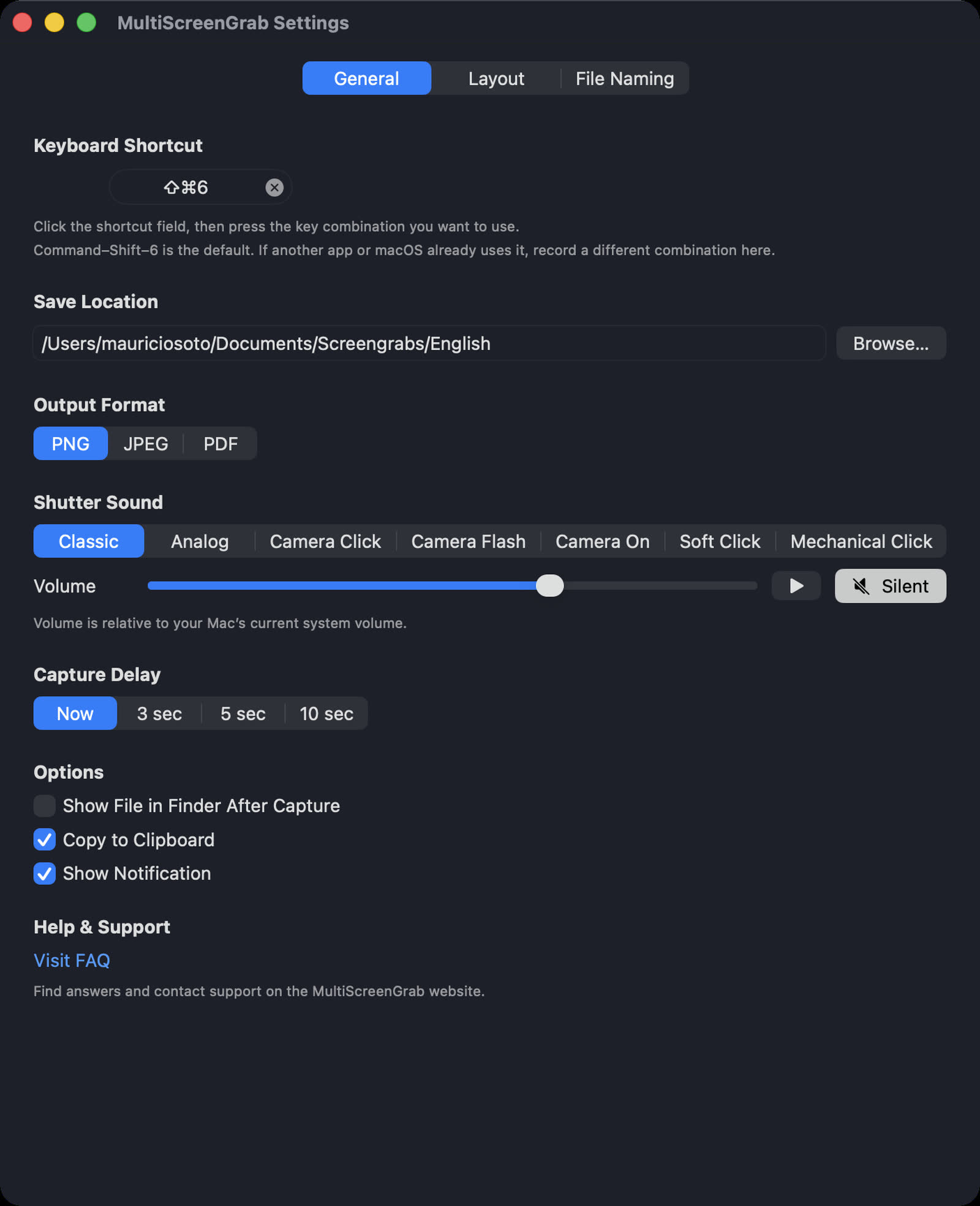
Choose your shortcut, save location, output format, shutter sound, capture delay, and post-capture options.
The problem with multi-display work
macOS is great at managing separate displays. It is not designed to turn your entire workspace into one clear, shareable record. MultiScreenGrab adds that missing layer.
Capture every connected display with one command, with the relationships between screens preserved in the final image.
Share a complete setup with a client, teammate, support request, tutorial, or project update in one glance.
Set the layout, names, format, and shortcut once. Then capture the same workspace whenever the moment matters.
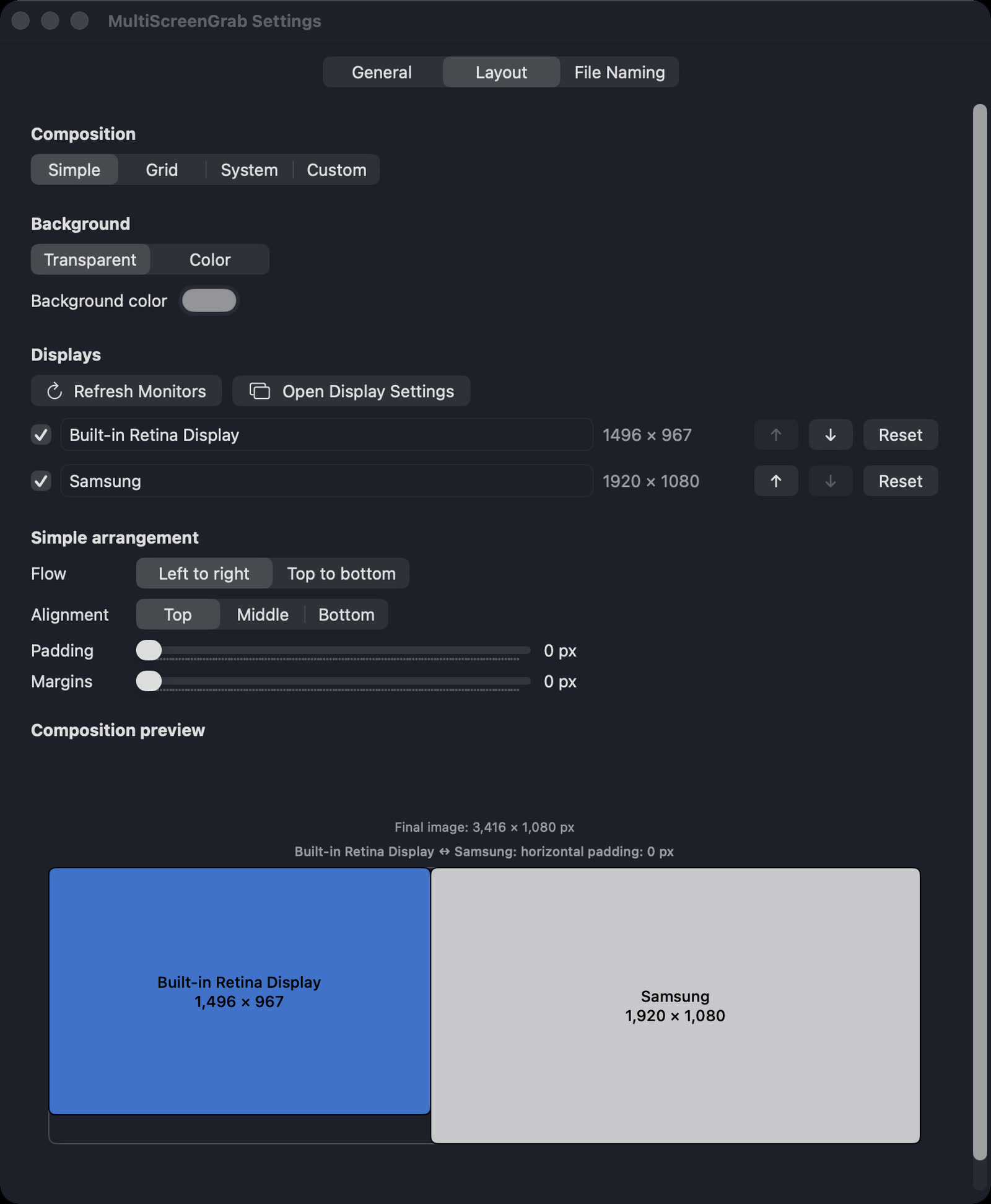
Simple, Grid, System, or Custom layouts.
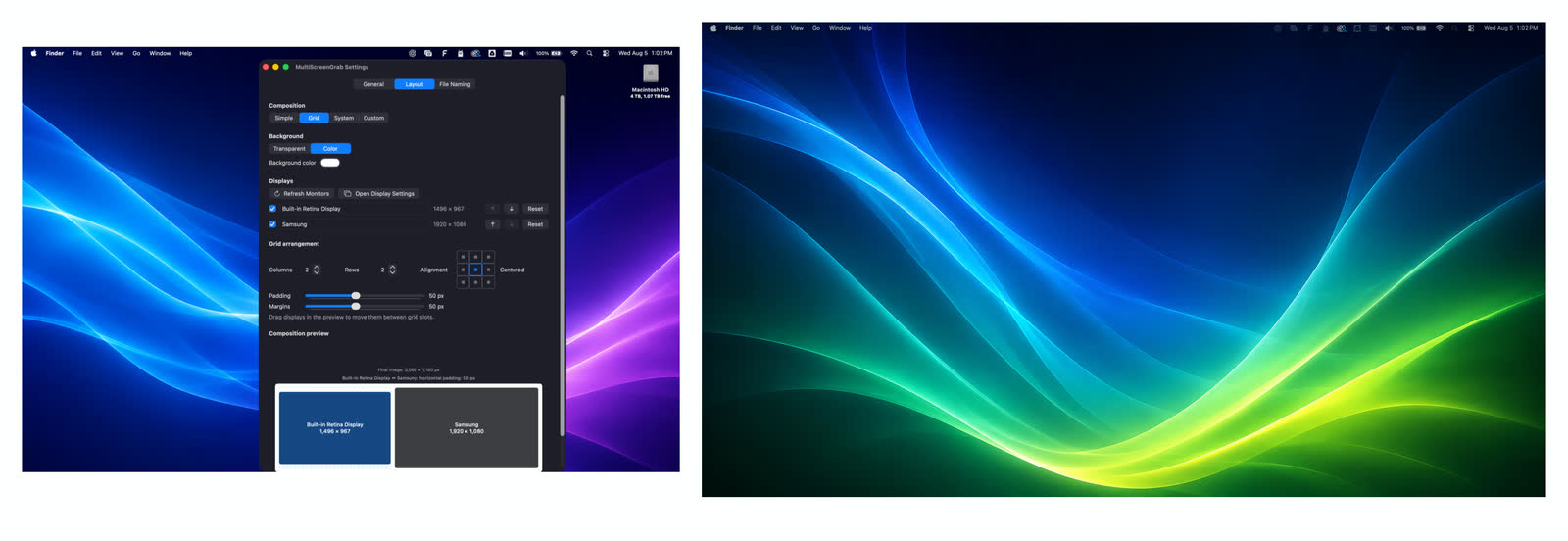
Choose columns, rows, alignment, padding, and margins for a clean multi-display composition.
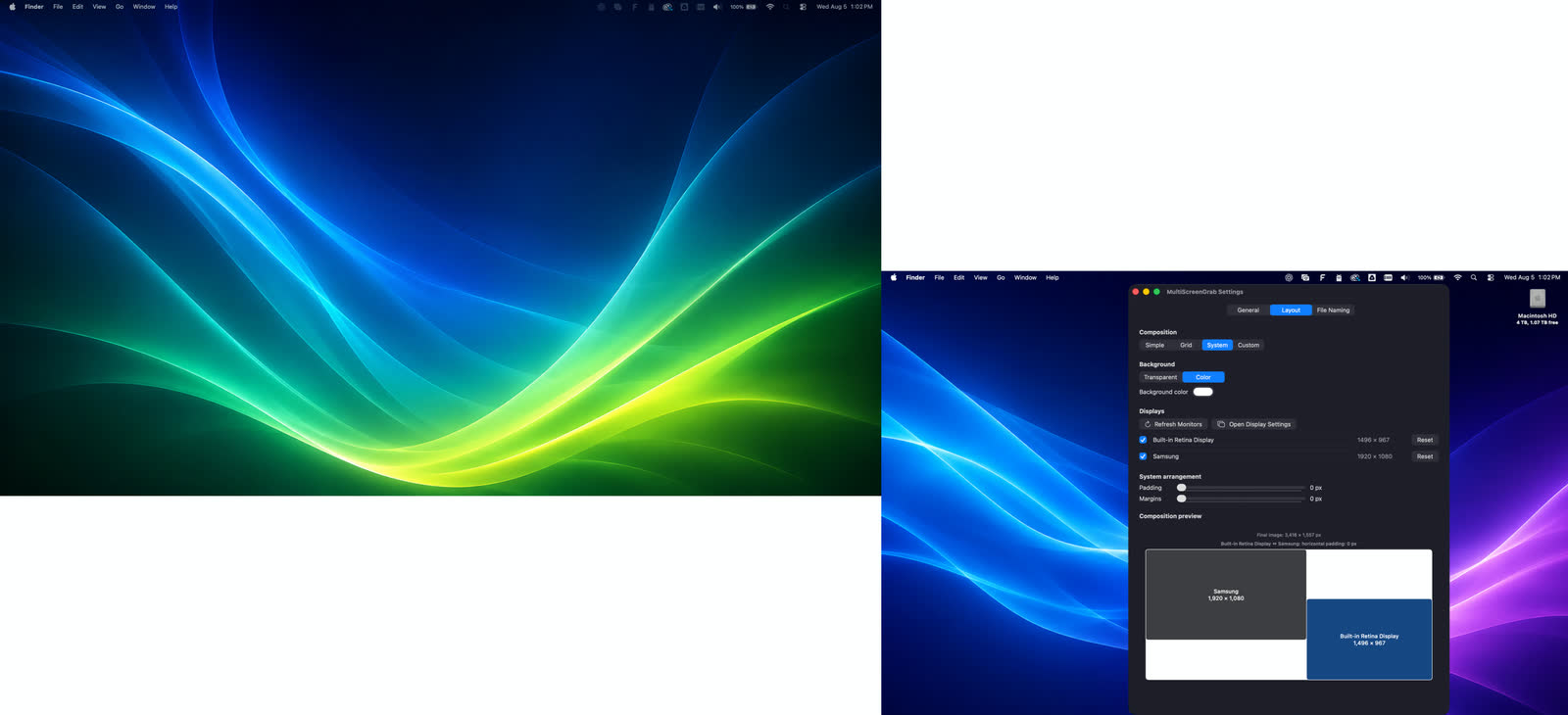
Fine-tune padding, margins, background color, and display names while the live preview shows the final image dimensions.
Built around real workflows
MultiScreenGrab is for anyone whose work does not fit neatly on one screen.
Capture a complete editing, design, development, or research workspace for tutorials, notes, and progress updates.
Give teammates the full picture of a dashboard, reference screen, terminal, and working document without a collage of files.
Send a clear snapshot of the entire multi-display state when a single-window screenshot leaves out the important clue.
Keep a clean visual record of a project, workspace, or display arrangement without rebuilding the composition every time.
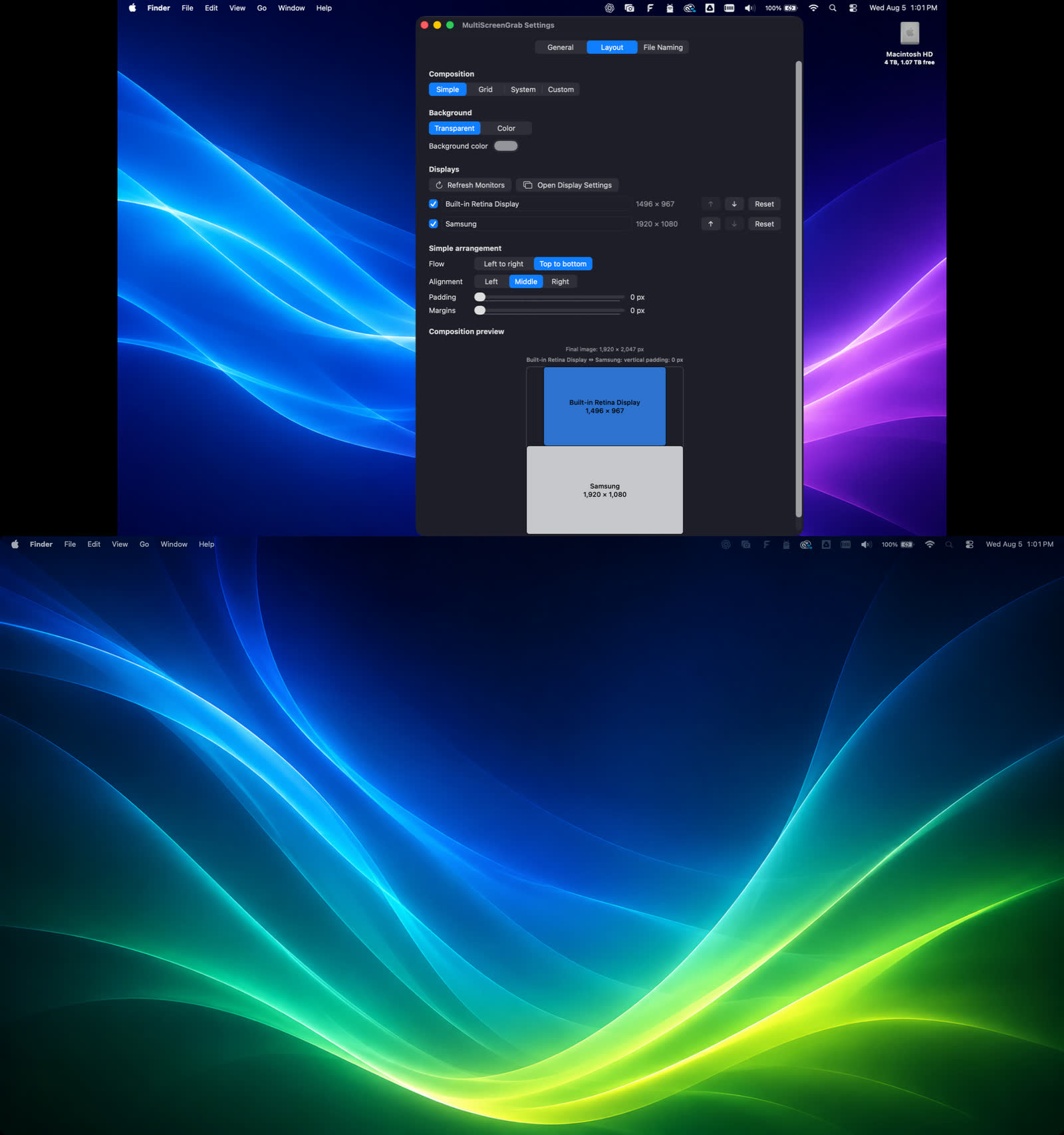
Stack displays vertically to keep their content legible when you add the capture to an email, document, or PDF.
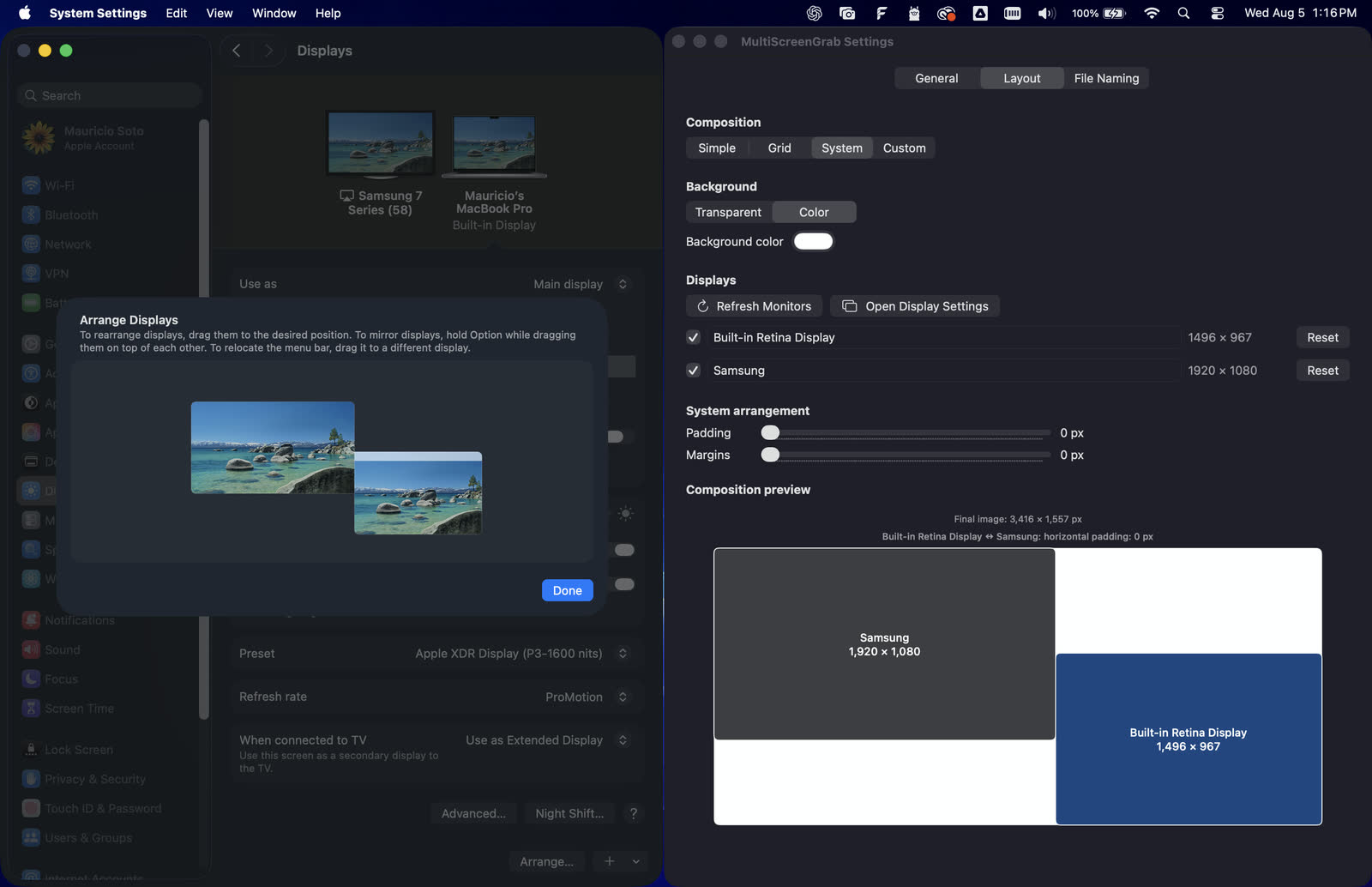
Keep the relationships between your displays in the final composition.
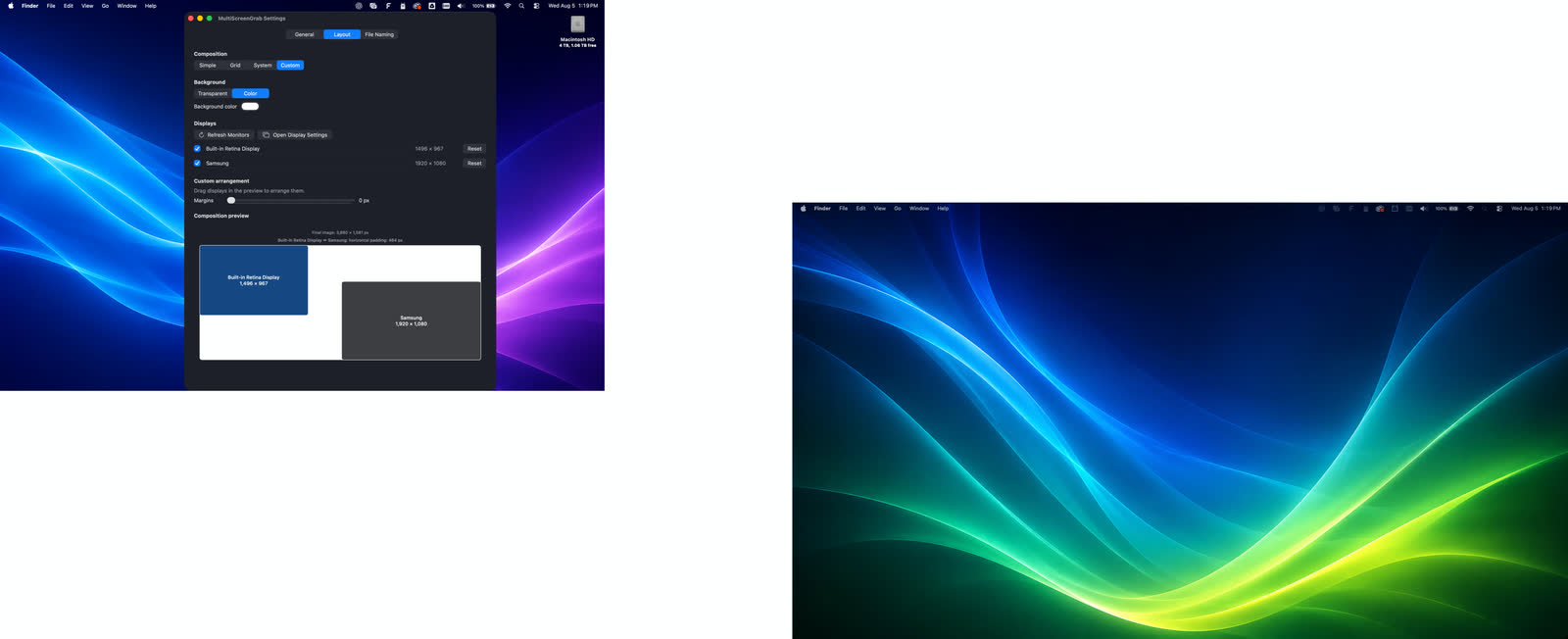
Custom placement with pixel-level control.
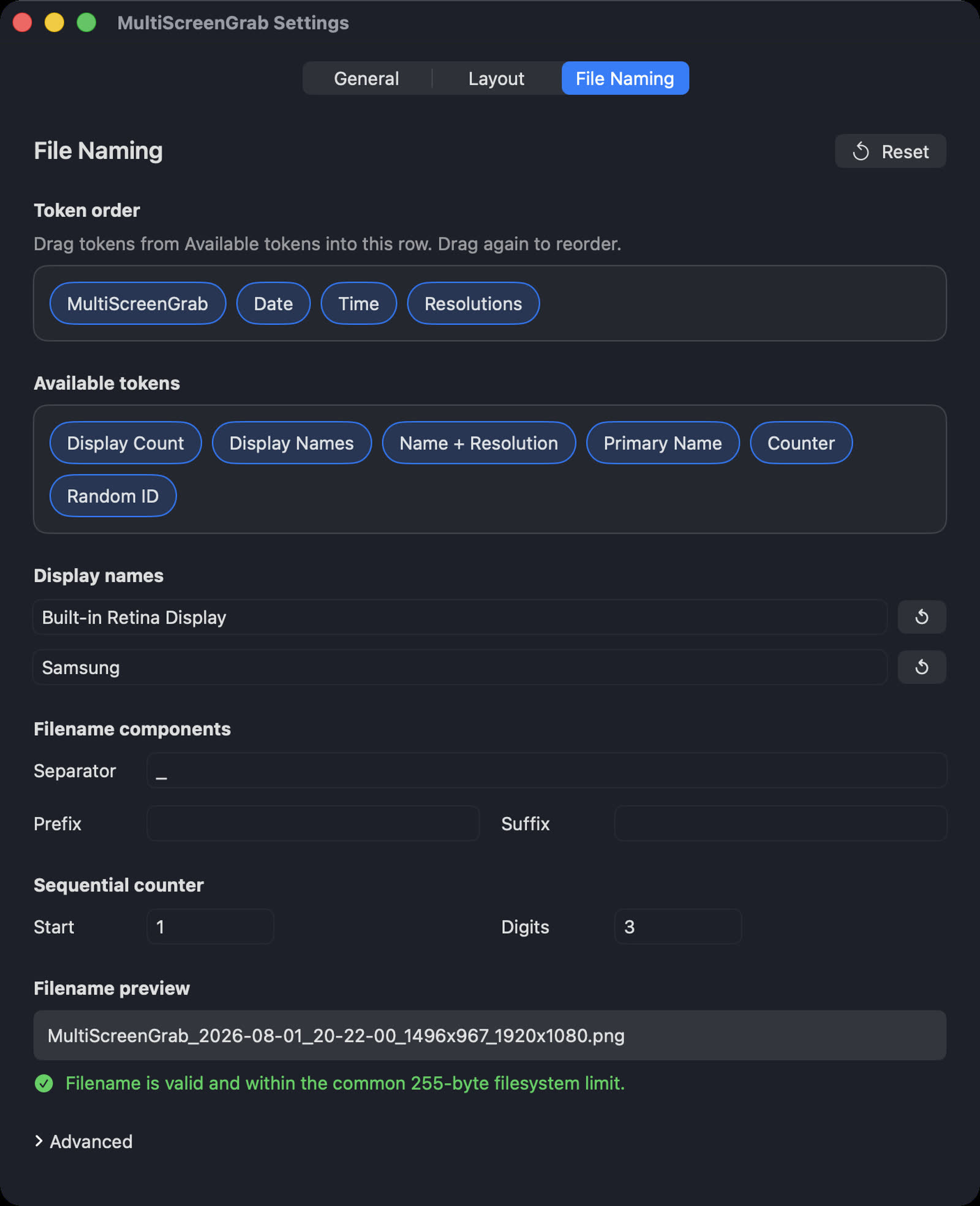
Names, dimensions, counters, display names, dates, and more.
Available on the Mac App Store
MultiScreenGrab is a one-time purchase with no subscription and no account.

Questions? hello@multiscreengrab.com
Need a hand?
A few quick answers for the most common MultiScreenGrab questions.
MultiScreenGrab is a native Mac app that captures every connected display and combines the complete workspace into one clear, configurable image.
It is made for multi-display Mac users who create, design, code, research, teach, provide support, or simply want to document the exact workspace in front of them.
Yes. MultiScreenGrab captures every connected display together and composes them into one image using your chosen layout.
MultiScreenGrab does not impose a fixed monitor-count limit. It captures the connected displays that macOS makes available to the app. The practical limit depends on your Mac, display setup, available resources, and the size of the final image.
Yes. If you are a freelancer or remote worker and a client or employer requires consistent display positioning, image dimensions, output formats, or filename patterns, MultiScreenGrab lets you configure those choices and repeat the same capture workflow. It is especially useful when you need to provide the same kind of workspace image regularly.
Yes. Choose your shortcut once, then use it to capture all connected displays together as one image.
macOS already gives you useful shortcuts. On a multi-display Mac, Command-Shift-3 captures separate image files for the individual displays, so you still have to align or stitch them if you want one workspace image. Command-Shift-5 opens controls for selecting a screen, window, or area. Those options may be all you need for a simple capture. MultiScreenGrab is for when the whole multi-display workspace is the subject: one shortcut captures every connected display, then your chosen layout, display names, output settings, and filename tokens shape the result.
MultiScreenGrab captures every connected display at the same moment and preserves their arrangement in one composed image, so you do not have to capture, align, and stitch separate screenshots.
No. MultiScreenGrab focuses on simple, repeatable captures of your complete workspace. It is a focused tool for recording the visual state of your displays, not a streaming studio.
Use Save To from the top menu, or open Settings, choose General, and click Browse next to Save Location.
Enable Copy to Clipboard in the top menu or in the General tab of Settings. After you take a capture, it is already copied to your clipboard. Just paste it into any app that accepts pasted images.
Open Settings, choose General, click the keyboard shortcut field, and press the combination you want to use.
Enable Show File in Finder After Capture in the top menu or in the General tab of Settings.
No. MultiScreenGrab changes only the composition of the captured image. It does not move, resize, or otherwise modify your displays in macOS System Settings.
Yes. Open Settings, choose Layout, select Color under Background, and choose the color you want. Transparent backgrounds are available when PNG is selected.
Transparency is available for PNG captures. JPEG and PDF captures require a background color.
Yes. In File Naming settings, drag filename tokens into the filename and drag them again to change their order. You can also rename displays and include those custom names, dimensions, counters, dates, and other tokens. In the Advanced section, you can change how displays are ordered in those filename values: the default is position by row, then column, but you can switch to column then row, sort by resolution size, or always place the primary display first.
Yes. You can include monitor names in your filenames, change those names, and choose their order. In File Naming settings, add the display names token and drag it where you want it. In Advanced settings, you can also change how the displays themselves are ordered in those filename values.
Yes. Add the display resolutions token to the filename. MultiScreenGrab writes the captured pixel dimensions for the displays included in the image.
MultiScreenGrab follows the resolution and scaling selected for each display in macOS System Settings. If one monitor looks larger or smaller in the stitched image, that reflects those Display settings. To change the result, open Settings, choose Displays, and click Open Display Settings, or open System Settings > Displays yourself.
Yes. MultiScreenGrab can capture displays that macOS recognizes as connected displays, including displays connected through Air Display or Wi-Fi.
Is your menu bar crowded with other icons? macOS may hide menu-bar items when there is not enough room. First, open Finder and go to /Applications, then double-click MultiScreenGrab to relaunch it. If the icon is still missing, open System Settings, choose Control Center, and check the Menu Bar Only controls for MultiScreenGrab. Enable its menu bar display option, then remove unused menu-bar items if you need to make room.
MultiScreenGrab needs Screen Recording permission to capture your displays. Open System Settings > Privacy & Security > Screen Recording and enable MultiScreenGrab, then reopen the app if macOS asks you to. If you want post-capture notifications, also allow them in System Settings > Notifications > MultiScreenGrab.
First, make sure notifications are allowed in System Settings > Notifications > MultiScreenGrab. Then open MultiScreenGrab’s General settings and enable Show Notification. If the app is not running, relaunch it from Finder > Applications by double-clicking MultiScreenGrab.
Contact support
Tell us what happened. Your default email app will open with your message ready to send.